
Exploring the Different Types of Network Switches: Which One is Right for You?
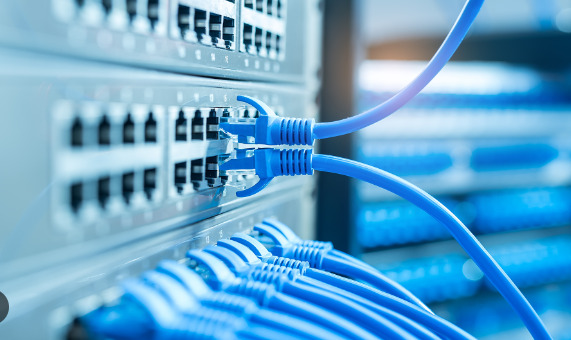
Are you in the market for a new network switch but don’t know where to start? With so many different types of switches available, it can be overwhelming to choose the right one for your needs. But fear not! In this blog post, we’ll explore the different types of network switches – including unmanaged, managed, web-managed, and smart managed – and break down their pros and cons. By the end of this article, you’ll have a better understanding of which type of switch is right for your business or personal use. So let’s dive in!
Different Types of Network Switches
Unmanaged, managed, web-managed, and smart managed are the four main types of network switches. Let’s dive into each type to understand their unique features.
Unmanaged switches are a basic type of switch that require no configuration or setup. They simply connect devices together on a network without any management capabilities. These switches are often used in small businesses or homes where simple connectivity is all that’s needed.
Managed switches offer advanced features such as VLANs (virtual local area networks), QoS (quality of service), and security settings. They allow for greater control over the network and can be configured through a command-line interface (CLI) or web-based GUI (graphical user interface).
Web-managed switches provide a simpler alternative to managed switches by offering configuration options through an easy-to-use web interface. This makes them ideal for smaller businesses or organizations with limited IT resources.
Smart Managed Switches fall somewhere between unmanaged and fully-managed switches in terms of functionality and cost. They offer some advanced features but do not require extensive technical knowledge to set up and manage like fully-managed systems.
Ultimately, choosing the right type of switch depends on your specific needs and budget constraints. By understanding the differences between these four types of network switches, you’ll be better equipped to make an informed decision that will meet your networking requirements without breaking the bank.
A. Unmanaged Switch
Unmanaged switches are the simplest type of network switch. They do not require any configuration or monitoring, making them an affordable option for small home networks.
These switches operate on a plug-and-play basis, which means that they automatically detect and connect devices to the network without requiring any intervention from the user. This makes them ideal for those who aren’t tech-savvy and want a hassle-free setup.
However, one significant drawback of unmanaged switches is their lack of management capabilities. Users cannot configure or monitor traffic flow in any way, which can lead to network congestion if too many devices are connected simultaneously.
While unmanaged switches may be suitable for simple setups with only a few devices, they may not be sufficient for larger networks that require more control over traffic flow and device management.
B. Managed Switch
Managed switches are a type of network switch that offers advanced features and functionalities over unmanaged switches. These types of switches allow administrators to monitor, configure, and manage the network traffic more effectively.
One significant advantage of managed switches is their ability to support virtual LANs (VLANs), which allows networks to be segmented into multiple broadcast domains for enhanced security and better bandwidth utilization.
Managed switches also provide quality-of-service (QoS) features that prioritize specific types of traffic such as voice or video transmission over other data types, ensuring the smooth running of applications.
Another benefit offered by managed switches is port mirroring, which enables administrators to copy all the packets received at one or more ports on a switch onto another designated port. This feature can be used for monitoring purposes or troubleshooting potential issues on the network.
However, managed switches require technical knowledge to configure them correctly, making them less user-friendly than unmanaged alternatives. They are also generally more expensive due to their additional capabilities and higher performance levels.
If you have a large network with complex requirements that demand greater control and customization options, then a Managed Switch may well be worth considering.
C. Web-Managed Switch
A web-managed switch is a type of network switch that can be managed through a web browser. It offers more features and flexibility than an unmanaged switch, but less complex than a fully managed switch.
One advantage of a web-managed switch is its ease of use. The user can easily configure the settings and manage the network from any device with access to the internet. This makes it ideal for small businesses without dedicated IT staff or professionals who need to work remotely.
Web-managed switches provide enhanced security features such as VLANs (Virtual Local Area Networks) which allow users to segment their networks and control access based on specific criteria like department or role.
Another benefit of this type of network switch is its affordability compared to fully managed switches while still providing basic management capabilities.
However, there are some limitations with web-managed switches. They may not support certain advanced networking protocols required by larger enterprises, limiting their scalability potential. Additionally, they have limited functionality when compared to fully managed switches.
If you’re looking for an affordable solution that provides basic management capabilities and ease-of-use in managing your small business’s network infrastructure then a web-managed switch might be worth considering.
D. Smart Managed Switch
Smart Managed Switches are a step up from Web-Managed switches and offer more advanced features. These switches can be managed through a web interface or command-line interface (CLI). They typically provide better QoS, VLAN support, and security features than their simpler counterparts.
One important feature of Smart Managed switches is the ability to segment a network into multiple virtual networks using VLANs. This allows for greater flexibility in managing traffic on the network and improved security by isolating different parts of the network.
Smart Managed Switches also have the ability to prioritize certain types of traffic with Quality of Service (QoS) settings. This ensures that critical applications like video conferencing or VoIP calls receive enough bandwidth to operate smoothly.
Another advantage offered by Smart Managed Switches is advanced monitoring capabilities. Administrators can use tools like SNMP or RMON to monitor network performance, track usage statistics, diagnose problems, and detect potential issues before they become major problems.
If you need more control over your network but don’t require all the bells and whistles provided by fully-managed switches, then Smart Managed Switches might be your best choice. They offer an excellent balance between price and functionality while providing essential features to keep your business running smoothly.
Pros and Cons of each type of switch
When it comes to choosing the right switch for your network, it’s important to understand the pros and cons of each type. Here are some advantages and disadvantages of each type:
Unmanaged switches are simple and easy to use, making them a popular choice for small businesses or home networks. They don’t require any configuration or monitoring, which can save time and money. However, they offer limited control over network traffic and security features.
Managed switches give you greater control over your network by allowing you to configure settings such as VLANs and QoS. You can also monitor network activity in real-time. However, this additional functionality comes at a higher cost compared to unmanaged switches.
Web-managed switches provide a user-friendly web interface that allows you to manage your network from anywhere with an internet connection. They’re ideal for small businesses without dedicated IT staff but still need some degree of control over their network operations.
Smart managed switches combine the simplicity of unmanaged devices with the advanced capabilities of managed ones. They automatically detect connected devices and optimize traffic flow accordingly while offering basic management features like VLANs.
Ultimately, choosing the right switch depends on your specific requirements based on factors like budget, size of organization or business needs etc.
How to choose the right switch for you
Choosing the right network switch is crucial for your business to ensure smooth data transmission and efficient connectivity. As we have explored, there are different types of switches available in the market. Each type has its own pros and cons that cater to specific networking needs.
Before making a decision, it is important to determine your organization’s requirements such as the number of devices connected, the size of the network, security features needed, and budget allocation. Once you have identified these factors, you can choose a switch that aligns with your business goals.
To summarize:
– Unmanaged switches are ideal for small businesses or home networks with basic connectivity needs.
– Managed switches offer advanced features like VLANs and QoS but require IT expertise to configure.
– Web-managed switches provide an intuitive interface for easy configuration without requiring extensive technical knowledge.
– Smart managed switches combine some advanced features while maintaining ease of use.
By understanding each type of network switch’s unique capabilities and limitations, you can make an informed decision on which one will best suit your organization’s specific networking requirements.
Selecting the right switch is essential in establishing a reliable network infrastructure that supports seamless communication between devices while ensuring security measures are met.